 Viseum AI Surveillance Video Monitoring Software
Viseum IMC Cameras and locally processed Viseum iVOS Advanced Video Analytics Software Technology Services
Training simulations
Nine simulations show how Viseum systems find, fix and follow what matters. Select a picture to play one in place. Only one plays at a time.
AiRadar and the thermal and optical camera
The Viseum AiRadar finds every object around a site while the thermal and optical camera turns to each one and zooms in. Each sensor has its own role, and the two always work together.
Following one person through standard and Viseum IMC cameras
A Viseum IMC camera picks one person out of a crowd and follows them from camera to camera, beside a fixed standard camera that cannot.
Global F3 Find, Fix and Follow
One suspect, from a plate read in a city to detention at a border. Each step is found, fixed and followed, and a person confirms before anyone acts.
Protecting a whole border
Towers, patrols and command control protect a whole border, one track per object, from the first detection to the patrol's response.
One control room, then a whole country
An operator works an alert through a guided procedure. Control rooms, city masters and a national centre then link up, with a hot backup at every level.
Every road on one wall
A vehicle cross-check sends a mismatched vehicle to an under-vehicle scan, and a portable face camera checks a stopped car, with an officer confirming before action.
Finding tunnels under a border
One fibre-optic cable hears digging, a responder team confirms it on the ground, and the tunnel is sealed.
Counter drone: find, fix, follow and defeat
Several units locate a drone and its pilot together. Radar alone never locates by triangulation, and the law decides who may take action.
Defending a military site
Interceptor drones, guided by the AiRadar track, are layered with other defences, and a commander authorises every engagement.
Viseum Certified Corporate End Users
Surveillance Training course benefits of Viseum Licensing and Certification
Technical Training Programme Benefits
This surveillance training programme is for the Viseum IMC camera models. It uses the Viseum Intelligent Virtual Operator Software analytics (Viseum iVOS) operating locally to the camera installation. This course takes 2 working days with each level taking 1 day to complete.
Viseum IMC and iVOS
- Level 1: End User Operational Surveillance Training.
- Level 2: System Administrator.
Viseum IMC and iVOS Level 1: End User Operational Surveillance Training
This training course teaches professional security staff to get the most from Viseum cameras and iVOS software. It shows them how to address each remote site’s security issues automatically, freeing up monitoring staff for other tasks. This will enable the user to swiftly optimise situational awareness and security within any given area of the Viseum network.
Start state
- A fair knowledge of video surveillance operations, or working knowledge of the security challenges within their area of responsibility.
Aim
- To use the Viseum cameras to automatically generate situational awareness and heightened long-term security, surveillance and deterrence at each remote site.
Objectives
By the end of this session learners will be able to:
- Create automated site surveillance rules for risk management, suspect target allocation and prioritisation, for each remote site.
- Operate Viseum cameras in their live active operational mode to deal with automatically detected security threats.
- Operate Viseum cameras in decision support of security patrols and first responders. With situational awareness and initiative to act before, during or after an incident.
- Operate Viseum cameras in their passive standalone operational mode and deal with evidence recovery.
A typical example of industry-standard security process without the use of Viseum cameras:
1) A suspected break-in at a perimeter is automatically detected and automatically alarmed to command control.
2) A security operator first identifies the section of the perimeter where the potential breach took place.
3) The security operator then spends valuable time:
- Locating and accessing the nearest PTZ Camera.
- Controlling this PTZ Camera to monitor the section of the perimeter to:
- Look around the area for the suspect.
- Confirm if the incident should be dealt with further.
Heightened security and performance training with the use of Viseum cameras:
This surveillance training course will cover how all of these actions are processed automatically by the Viseum camera system. The security operator is then fully primed with the complete Ground Truth for the correct response.
Viseum IMC and iVOS Level 2: System Administrator
This training course teaches the system administrator to get the most from Viseum’s camera and iVOS software. The number of Viseum cameras required will always be far fewer and more widely dispersed than for any other system. Also, the unmatched capacity of the Viseum cameras can provide security and monitoring capability for many additional agencies. This training is designed for a System Administrator to optimise the network design. It covers configuring and managing the Viseum cameras in automated support of operator staff, meeting the multiple requirements, and optionally prioritising access levels of the various additional stakeholders of each Viseum camera installation.
Start state
- Current knowledge in configuring and managing IT systems and conventional IP camera networks. A seasoned professional security staff and resources manager.
Aim
- Manage the best practice implementation and use of Viseum cameras and iVOS system.
Objectives
By the end of this session learners will be able to:
- Understand and exploit the unique aspects of the Viseum camera and iVOS operating software.
- Design a Viseum camera network and designate an appropriate automated monitoring mode for each remote site.
- Manage the overseeing of installation maintenance: 1st line fault diagnosis and reporting.
Typical examples of network design improvements:
1) The Viseum camera is installed plug-and-play. This eliminates the lengthy procurement and installation processes of standard technologies, requiring considerable camera and cabling infrastructures.
2) The automation of the Viseum IMC Camera and iVOS analytics operates locally to the camera installation. Many remote sites will no longer require costly high-bandwidth communications to the command control. This means that costly fibre connections can be replaced to benefit from lower bandwidth wireless mobile phone services.
Typical examples of performance improvements:
1) This new automated surveillance capability significantly reduces the time each remote site needs for active camera control and viewing. Many more remote sites will now benefit from reactive surveillance.
2) This new performance will show greater operational savings with improved key performance indicators. > download UK savings example <
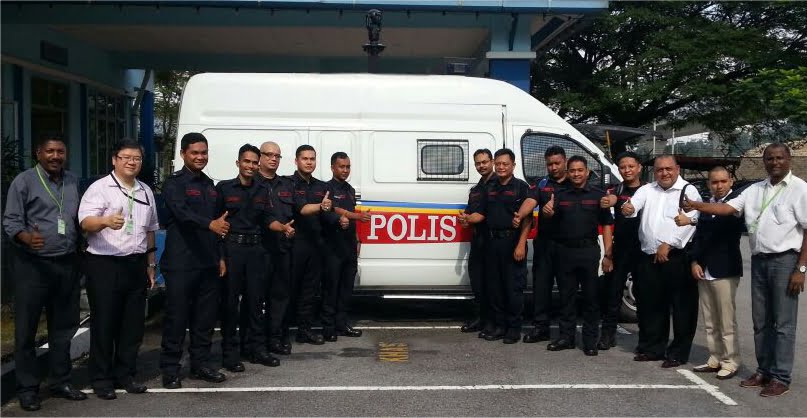
 Our surveillance training London programme certifies the people who will run your national surveillance network. First, we assess the skills your control room already has.
Learn More »
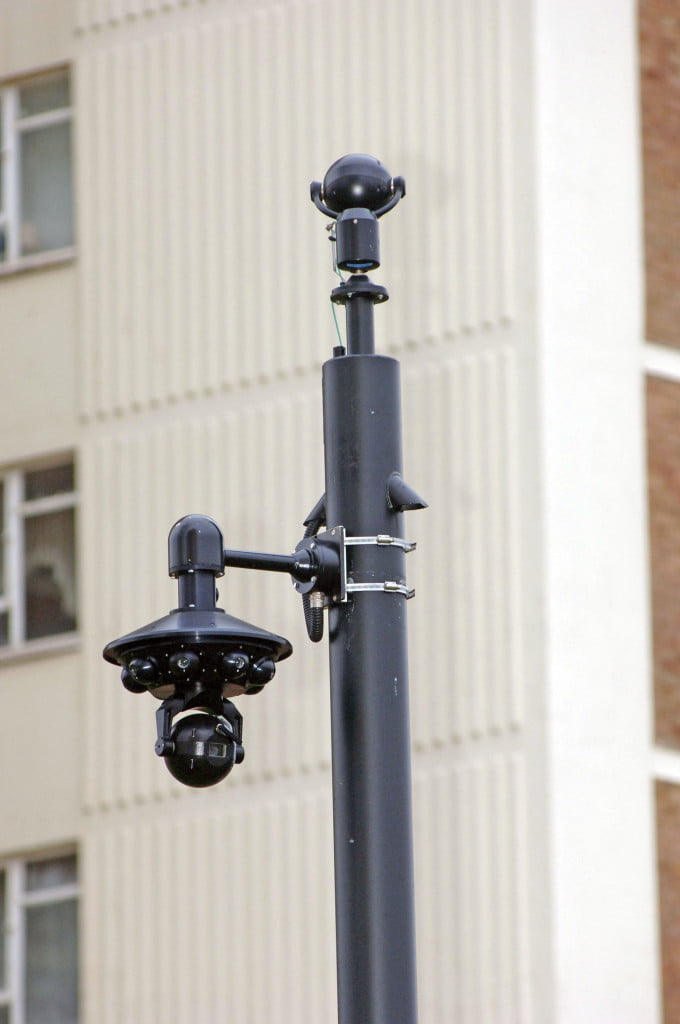 Every surveillance camera installation we deliver follows one internationally regulated process. First, we survey the site and agree measurable security goals.
Learn More »
Downloads for End User Training:
More in Training
Viseum Technology Credentials

More videos
 Viseum AI camera on TV
 Intelligent Moving Camera PSIM
What happens after you contact Viseum
A specialist reads your project questionnaire for a commercial review and checks it against projects we have already delivered.
We arrange a live demonstration, either online from your own desk or on your site with a Rapid Deployment trailer.